
A law firm workflow is the defined path a piece of work follows from the first client enquiry to file closure: who does what, in which order, with which approvals and records. Firms that map those paths first and automate second tend to gain the most, because technology speeds up a clear process but also speeds up a broken one. This article sets out the workflows most South African practices rely on, how to map and redesign them, where automation is appropriate, and which local obligations must shape the design.
Key Takeaways
- A workflow is a process with named roles, hand-offs, approvals and records. Software is one way to run it, not the workflow itself.
- Map what actually happens on live matters before redesigning anything. Automating an unclear process produces errors faster.
- Automate high-volume, repetitive, rule-based steps first. Legal conclusions, strategy and the verification of authorities remain the practitioner’s responsibility.
- In South Africa, workflow design must account for POPIA, FICA record-keeping, trust accounting rules and VAT-compliant invoicing.
- Legal Project Management supplies the discipline of scope, budget, resourcing and risk that makes a workflow commercially useful.
Table of Contents
- What a law firm workflow actually is
- The core workflows in a South African practice
- Map the real process before you redesign it
- Where automation helps and where judgement stays with the lawyer
- South African obligations that shape workflow design
- Measuring whether a workflow is working
- From workflow to matter management
- Develop the capability inside your firm
- Frequently asked questions
- Sources
What a law firm workflow actually is
A workflow describes how one step triggers the next. It covers who does what, how documents are produced and how the client is kept informed. One practice-management provider defines law firm workflow in these terms: the way work moves from start to finish, with each process prompting the following task.
It helps to separate three ideas that are often conflated:
- Workflow: the sequence of steps, owners and decisions for a type of work, such as opening a matter or raising a fee note.
- Document automation: generating documents from templates and data. South African legal technology commentators distinguish this from workflow automation, which applies technology to defined, repetitive and labour-intensive processes so that tasks are structured and less dependent on manual effort.
- Legal project management: the planning and control of a matter as a project, with scope, budget, resources, risk and client expectations managed deliberately. A workflow tells people what happens next. Project management decides whether the matter is being delivered profitably and to the client’s expectations.
A workflow without project management can be perfectly efficient and still commercially unsound, for example when a well-oiled intake process feeds matters that were never properly scoped or priced.
The core workflows in a South African practice
Most practices run some version of the same lifecycle, whether it is administered in a dedicated system, a spreadsheet or a shared checklist. South African practice-management products describe it consistently: intake and conflict control, then FICA and the mandate, matter delivery, billing and collections, and finally closure and archiving.
| Stage | What happens | Typical owner | Control point |
|---|---|---|---|
| Intake | Enquiry captured, details recorded, matter type identified | Candidate attorney or receptionist | Complete intake form before any advice is given |
| Conflict check | Parties checked against existing clients and matters | Practice manager or supervising attorney | Matter cannot be opened until cleared |
| FICA and mandate | Client identification and verification, engagement letter and fee basis agreed | Responsible attorney | Signed mandate and FICA file before work begins |
| Matter set-up | File, folder, budget and team created | Practice manager | Scope and estimate recorded |
| Delivery | Tasks, deadlines, documents, court dates diarised | Matter team | Review and approval thresholds |
| Billing | Time and disbursements recorded, fee notes issued | Fee earner and finance | Partner sign-off before issue |
| Collections | Outstanding fees followed up | Finance | Defined follow-up intervals |
| Closure | Outcome confirmed, final account, file archived | Responsible attorney | Closure checklist completed |
South African system descriptions mention the same recurring features: conflict checking before a matter is created, separate trust and business ledgers, client portals and filing communications to the correct matter. Another provider lists diary and court-date reminders, time and disbursement recording, fee notes and invoices, and outstanding-fee follow-up as common supported workflows. These lists are useful as a checklist of what your own process should cover, whatever tools you use.
A worked example: the commercial matter
Consider a five-partner firm that acts for owner-managed companies. A client emails asking for help with a shareholders’ agreement. In a loosely managed practice, the partner replies by email, a candidate attorney starts drafting, and the fee conversation happens late in the matter.
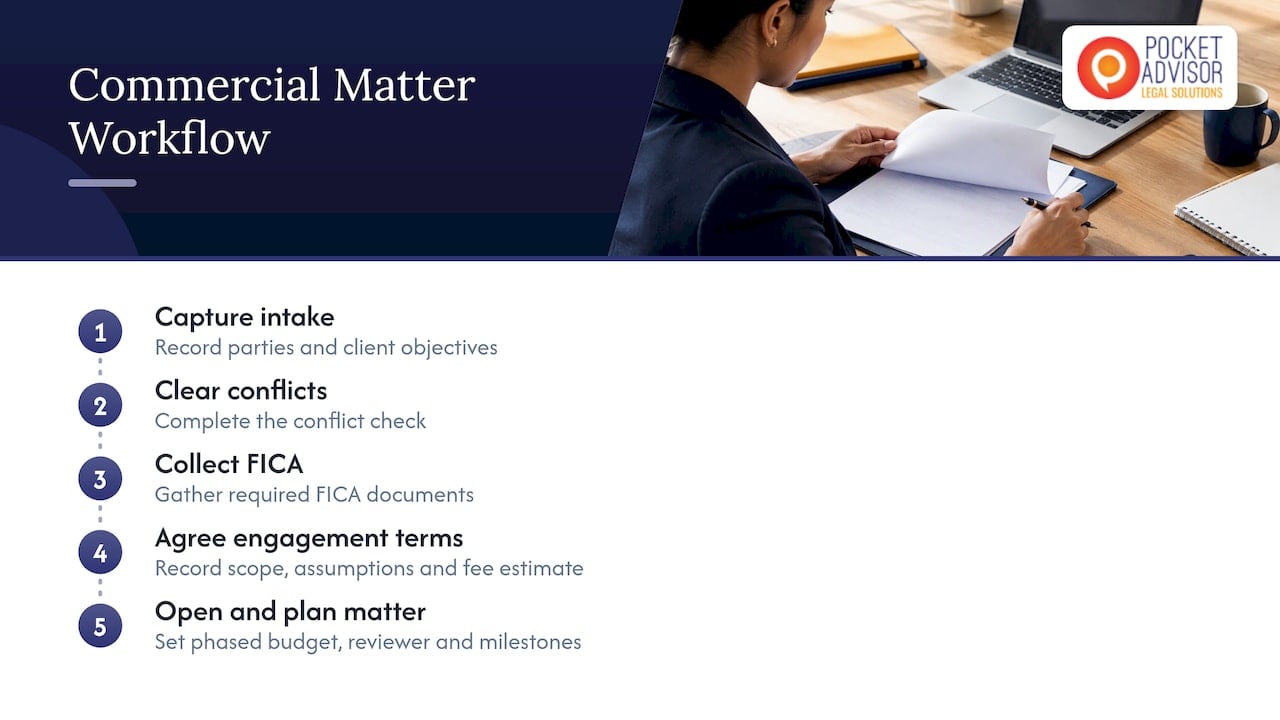
In a defined workflow the same enquiry follows a set path. The intake form captures the parties and the client’s objectives. The conflict check clears. FICA documents are collected and the engagement letter records the scope, the assumptions, the fee estimate and what falls outside the estimate. The matter opens with a budget by phase, a named reviewer and diarised milestones. Nothing in this path is sophisticated. Its value is that every matter starts the same way, so problems appear early rather than at billing.
Map the real process before you redesign it
The most frequent failure in workflow projects is designing the process that partners believe exists. Legal operations practitioners warn that automating an unclear or broken process makes failure faster, and advise mapping what actually happens before redesigning it.
A practical sequence:
- Pick one workflow. Start with a process that is frequent and visibly painful, such as matter opening or fee note approval.
- Map the current state. Walk through three or four recent matters and record each step, hand-off, delay and workaround. South African commentary on workflow quick wins recommends mapping the reality of current processes rather than the theoretical ideal, including consulting junior staff and support personnel, who usually know where the friction is.
- Define the future state. For each stage specify the trigger, the scope, the roles, who may approve, the escalation threshold and the record that must exist afterwards.
- Name a process owner. One person is accountable for the workflow, its documentation and its periodic review.
- Write the exception path. Decide in advance what happens when a client will not provide FICA documents, when a conflict is flagged or when a budget is exceeded.
- Pilot, then extend. Run the redesigned process on a limited set of matters, correct it, and only then roll it out.
The same commentary notes that early gains may need nothing more than a template, a shared checklist and agreement about who does what. A good number of firms discover that a disciplined checklist resolves half of what they assumed required software.
For a broader treatment of structuring teams around these processes, see our guide to legal team management for South African firms, and for continuous refinement, our article on legal process improvement.
Approval thresholds and hand-offs
Hand-offs are where legal work leaks time. Each one should answer three questions: what is being passed on, in what condition, and what does the receiver do if it is incomplete? Approval thresholds work the same way. A fee note under an agreed amount might be released by the supervising attorney, while anything above it, or any write-off, goes to a partner. Writing these thresholds down removes the informal negotiation that otherwise occurs on every file.
Where automation helps and where judgement stays with the lawyer
The usual advice is to begin with high-volume, repetitive and rule-based tasks, such as template-driven document generation and automated deadline reminders, rather than attempting a firm-wide overhaul. South African legal technology providers make the same point: automation suits repetitive process steps and frees practitioners to spend time on knowledge-based, specialist work.
Candidates that commonly suit automation:
- Intake forms that route to the right team and trigger the conflict check.
- Generation of engagement letters and standard documents from approved templates.
- Diarising of deadlines, court dates and follow-ups.
- Reminders for outstanding FICA documents.
- Fee note preparation and outstanding-account follow-up.
- Closure checklists and archiving prompts.
Tasks that require care:
- Legal conclusions and advice.
- Citation of authorities. Academic guidance from the University of Cape Town notes that AI can assist with drafting, summarising and first-pass review, but that legal conclusions and citations require verification and professional judgment.
- Decisions on strategy, settlement and risk.
The profession’s own commentary supports a measured stance. De Rebus describes a conservative approach in 2026 in which technology assists preparation but does not replace professional decision-making or accountability. Another De Rebus article on AI in debt collection compares the position to a surgeon who remains responsible for the outcome when using diagnostic tools. The practical rule for a firm: automation prepares, the practitioner decides and signs.
Deciding where technology adds genuine value, as opposed to where it merely adds another system to maintain, is itself a project-management question. Our article on legal project management and AI adoption explores that selection process.
South African obligations that shape workflow design
A generic task tool will not know the regulatory environment in which a South African practice operates. Commentary aimed at South African practitioners recommends evaluating practice-management technology against local operational obligations: LPC trust rules, FICA record-keeping, POPIA safeguards and VAT-compliant invoicing. Each should appear as an explicit control in the workflow rather than as an afterthought.
| Obligation | Where it belongs in the workflow | Design question |
|---|---|---|
| FICA | Intake and mandate stage | Can the matter proceed without completed client verification? |
| Trust accounting | Billing and matter delivery | Are trust and business money separated, reconciled and approved by the right person? |
| POPIA | Every stage that handles personal information | Who can access the file, where is data stored, and how is access logged? |
| VAT | Billing | Does every fee note meet invoicing requirements before it leaves the firm? |
| Confidentiality and privilege | Any tool that processes client documents | Does the tool or its provider use our data for anything else? |
POPIA and automated tools
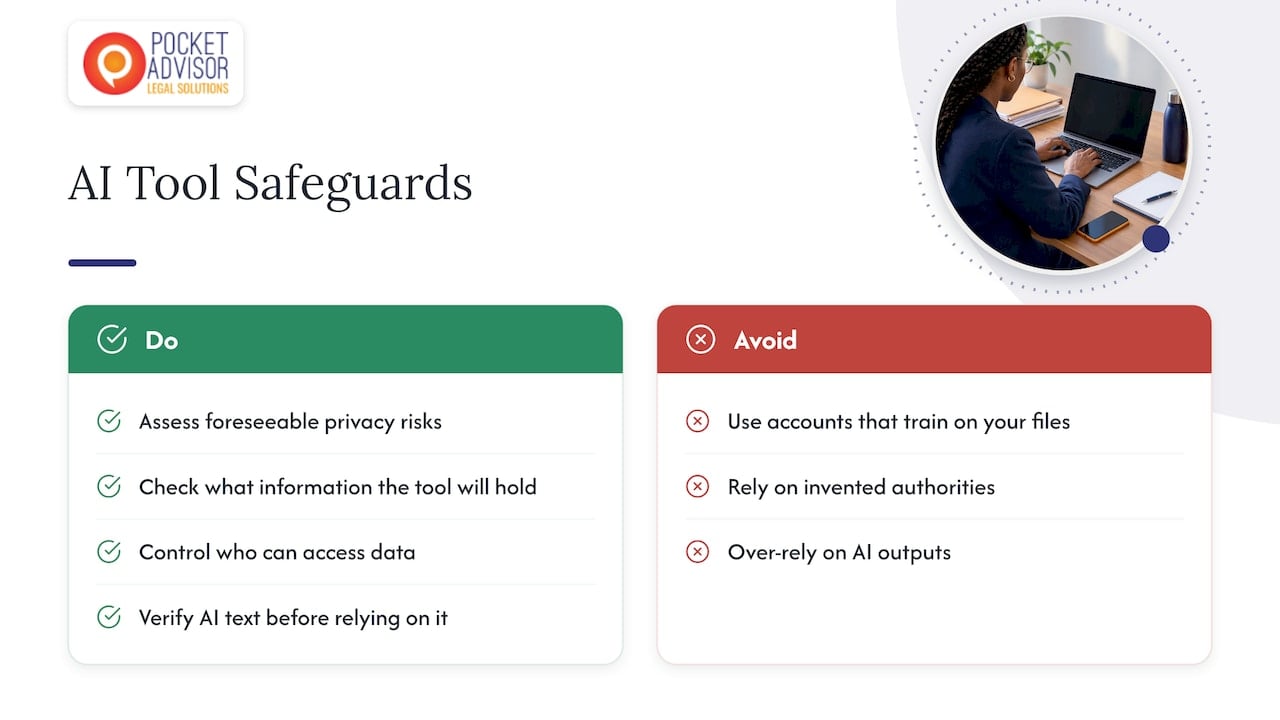
UCT’s guidance is that POPIA applies fully to AI processing, including section 71 on automated decision-making, and that core safeguards include access controls, human review and logging. It also identifies hallucination, data leakage, bias and over-reliance among the risks, and notes that confidentiality and privilege are implicated by how data is used.
The Law Society of South Africa’s guidelines recommend that attorneys conduct risk assessments that identify foreseeable risks to personal information, taking into account the nature of the information and the cost of safeguards. For a workflow project, that translates into a short assessment before any new tool touches client data: what information it will hold, who can see it and what happens to it afterwards.
One South African commentator advises that the safest first use of generative tools is in accounts that do not train on your files, and notes that South African courts have referred lawyers’ reliance on invented authorities to the Legal Practice Council. The lesson for workflow design is to build a verification step into any process where an AI tool produces text that will be relied upon.
For firms that also advise clients or administer their own compliance, our guides on POPIA compliance and legal workflow management and compliance provide further context.
Measuring whether a workflow is working
A redesigned workflow should be judged by evidence, not impressions. Select a small set of measures before the change and compare after a defined period:
- Cycle time: days from first enquiry to opened matter, and from work completed to fee note issued.
- Rework: the proportion of matters returned at review because information was missing.
- Budget accuracy: variance between the estimate and final fees by matter type.
- Realisation: the share of recorded time that is billed and collected.
- Compliance completeness: the percentage of matters with FICA and mandate in place before work started.
- Staff feedback: whether fee earners and support staff find the process easier.
De Rebus reports that firms implementing structured matter intake processes have seen write-offs reduced by approximately 15%. Treat figures of that kind as a reason to measure your own write-offs, not as a promise about your results. Systems with rules that trigger actions at each step, dashboards and recorded user actions, such as workflow software built for South African firms, can make the data easier to collect, but the measures matter more than the tool.
Review each workflow on a fixed cycle, quarterly or twice a year, and give the process owner authority to change it. A continuous-improvement habit is what stops the documented process from drifting away from reality.
From workflow to matter management
Workflows describe the repeatable parts of legal work. Matter management applies them to a particular engagement: its scope, the budget, who is assigned, which risks are open and what the client expects. Firms that treat the two as one system tend to find that the checklists are followed while the matter itself drifts. Our guide to legal matter management sets out how the two connect.
This is the point at which Legal Project Management becomes more than administration. It brings structure to scoping, commercial awareness to pricing and resourcing, and a continuous-improvement mindset to how each matter is reviewed once it closes. A firm with strong workflows and no project discipline produces tidy files that are unprofitable. A firm with project discipline and no workflows depends on a few individuals to hold it together.
Develop the capability inside your firm
PocketAdvisor holds exclusive rights in South Africa to provide the internationally accredited IILPM Legal Project Management programme. The Applied Legal Project Management Course (R9 500, one-off) is designed for lawyers in firms, in-house counsel and legal team leaders who want to manage scope, budgets, resources, risks, deadlines and client expectations as a specialised professional capability. It also helps firms and legal departments decide where technology and automation add genuine value.

Students who successfully complete the course receive accreditation through the International Institute of Legal Project Management (IILPM), subject to the programme’s completion requirements. For practitioners, it is a professional development credential that strengthens expertise and helps distinguish them in a competitive profession.
Explore PocketAdvisor’s internationally accredited Legal Project Management Course: https://pocketadvisor.co.za/legal-project-management-course/
Frequently asked questions
What is the difference between workflow automation and document automation?
Workflow automation applies technology to defined, repetitive processes so that tasks move between people and stages with less manual effort. Document automation generates documents from templates and data. The two work well together, but a firm can use document automation without having a defined workflow, which limits the benefit.
Which law firm workflow should we automate first?
Choose a process that is frequent, rule-based and visibly slow, typically matter intake with the conflict check, or deadline diarising. Map how it works today, fix the unclear steps, then automate. Starting with a narrow process lets you measure the result before extending it.
Does POPIA restrict the use of AI in legal workflows?
POPIA applies to the processing of personal information by AI tools in the same way as to any other processing, including its provisions on automated decision-making. Practically, that means access controls, human review, logging and a risk assessment before client data enters a new tool. Seek advice from your information officer or a privacy specialist for your firm’s specific set-up.
Can a small firm benefit from formal workflows?
Yes. A small firm often gains the most from a simple written process, because work depends on fewer people and absences cause disruption. A shared checklist, a standard engagement letter and agreed approval thresholds are usually enough to begin.
Sources
- Law Firm Workflow Management 101: What It Is and Why You Need It
- Beyond Tech Trends: Part II, AJS South Africa
- Everything Caseo does: features for South African law firms
- Legal Practice Management System, Reyakopele ICT
- Compliance Workflows: Why Execution Fails Without Clear Ownership, GLS Legal Operations
- Before You Automate: How to Find the Quick Wins in Your Law Firm’s Workflow, Polity
- Using AI responsibly in legal practice, UCT Law at Work
- The South African legal profession in 2026, De Rebus
- Regulating the algorithm: The impact of AI and automation on NCA compliance and debt collection, De Rebus
- Practice management software: what must sole practitioners consider, Gawie le Roux Institute of Law
- Guidelines for Attorneys on the Protection of Personal Information, LSSA
- AI for SA law firms: a contract library in Claude, Henno AI
- AJS FLOW Business Process Management Software
Recommended
- Law Firm Project Management: A 2026 Guide for SA Practices
- Legal Workflow Management for SA Compliance in 2026
This article is for educational and informational purposes only. It is not a substitute for professional advice.