
Process mapping is the discipline of drawing a legal workflow as it actually runs, step by step, so that a firm or legal department can see where time, money and professional attention are being lost. For a lawyer, the method is simple: choose one repeatable process, record every step, decision and handoff, review the map for waste, and then decide what to eliminate, delegate or automate. This guide sets out how to do that in a South African practice, with worked examples drawn from legal work.
Key Takeaways
- A process map is a visual record of how work moves through your practice. Its purpose is to make the work visible enough to improve, not to produce a diagram.
- Start with a high-volume, repeatable workflow such as client intake and matter opening, not with your most complex litigation.
- Record the real process, including delays, exceptions and rejection paths, before you design the improved one.
- A map separates repetitive work (automation candidates), administrative work (delegation candidates) and substantive work that requires legal judgment.
- Mapping is one component of Legal Project Management (LPM), which adds scope, budget, risk and client-expectation discipline to the picture.
Table of Contents
- What process mapping means in legal practice
- Process mapping within Legal Project Management
- Which workflow to map first
- How to document the current process
- Choosing a visual format and tools
- Worked example: intake to signed engagement
- Reading the map: waste, risk and opportunity
- Implementing, measuring and updating improvements
- Building the capability in your firm or legal department
- FAQ
- Sources
What process mapping means in legal practice
A process map is a visual representation of a workflow. Attorney at Work describes it as a way of communicating how a process works concisely, so that team members understand its steps without a lengthy verbal explanation. In a legal setting, the process might be the opening of a new matter, the review and approval of a commercial contract, the preparation of a litigation bundle or the handling of a data-subject request.
The value lies in what the map exposes. An ACC presentation on legal operations identifies the principal forms of waste that a map brings to light: bottlenecks, unclear responsibilities, unnecessary, missing or redundant steps, and rework. The same material treats a map as both a diagnostic tool and a training tool: it shows where effort is wasted and gives the team a common understanding of how the work should be done.
There is a second benefit that is easily overlooked. Attorney at Work’s practitioner guidance suggests that mapping makes complex work visible enough to simplify, delegate and automate, which preserves lawyers’ time for interpretation and strategy. That is the commercial argument for the exercise. Fee-earner time is the scarcest resource in a practice, and a map shows how much of it is being spent on work that does not require a lawyer.
Process mapping within Legal Project Management
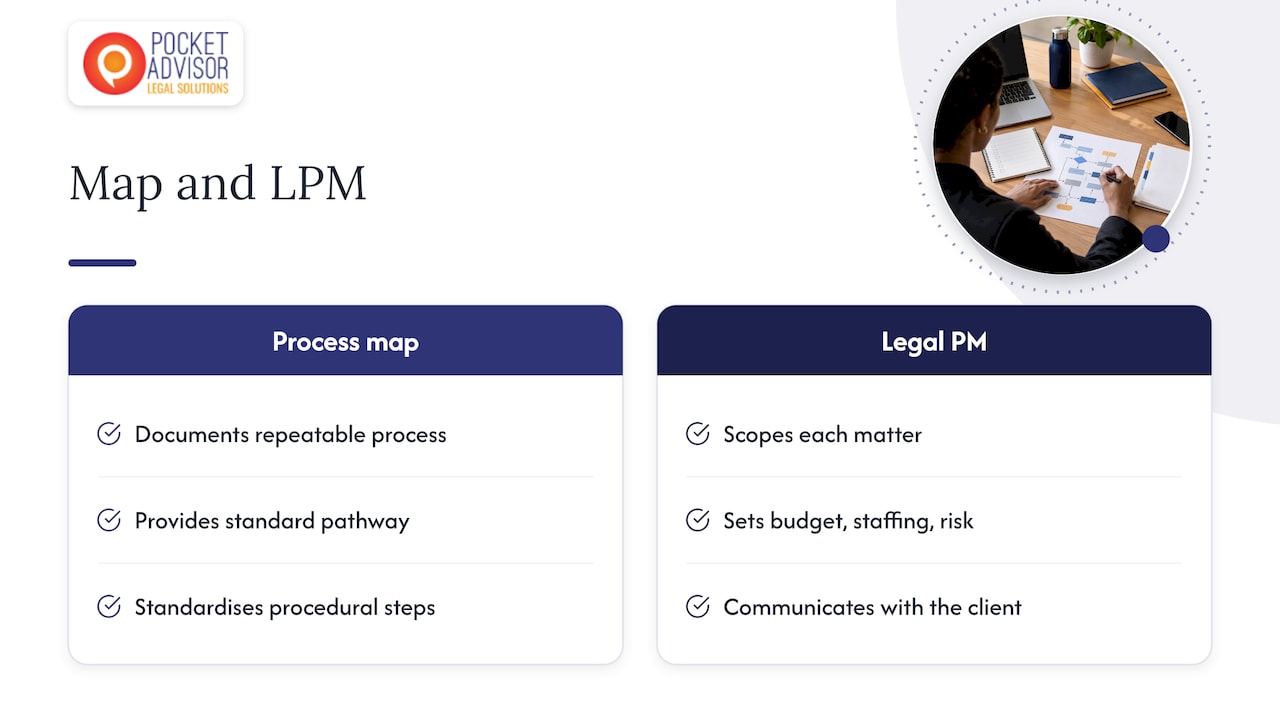
Process mapping is not the whole of Legal Project Management, and it should not be confused with it. A map describes a repeatable process. LPM governs how an individual matter is scoped, budgeted, resourced, risk-assessed and communicated to the client. The two work together: the map supplies the standard pathway, and project management applies it to each matter with the right scope, timeline and cost expectations.
The Digital Project Manager notes that legal project management relies on documented phases, tasks, templates and milestones to standardise work without removing professional judgment, while clarifying delegation and reducing status-chasing. That distinction matters for lawyers who are wary of anything resembling a production line. A well-built map standardises the administrative and procedural scaffolding so that judgment can be applied where it counts.
For a broader treatment of how the disciplines fit together, see our guides to law firm project management for South African practices and to law firm workflows.
Which workflow to map first
The temptation is to begin with the most visible problem, usually a complex matter type that is routinely over budget. Resist it. A first map should be of a process that is frequent, bounded and shared by several people, because that is where the improvement is multiplied and where the learning is fastest.
Practitioner guidance on systemising a law firm suggests that firms first document client intake and file opening, matter milestone tracking and client communication cadence. These three share useful characteristics: they occur on every matter, they involve more than one person, and failures in them are visible to the client.
A simple selection test helps. Score each candidate process against four questions:
- How often does it run each month?
- How many people touch it?
- How often does it go wrong, run late or need rework?
- How much fee-earner time does it consume that could be delegated?
A process that scores high on frequency and rework, and low on the proportion of genuinely legal judgment, is the strongest first candidate.
Defining the scope of the map
Before drawing anything, fix the boundaries. State the trigger that starts the process (for example, an enquiry received by email), the end point (for example, a signed engagement letter and a file opened on the matter system) and what lies outside it. Without boundaries, a map of client intake drifts into a map of the whole matter lifecycle and becomes unusable.
How to document the current process
Map what happens, not what the procedures manual says should happen. The two are rarely identical. The most reliable method is a short working session with the people who actually perform the steps: the secretary who receives the enquiry, the associate who runs the conflict check, the accounts clerk who sets up billing, and the partner who approves the engagement.
Define each stage clearly
The level of detail matters. Morae recommends defining each stage by stating who receives the work, its purpose, what must be accomplished, who supplies the inputs and what signals completion. Applied consistently, this prevents the two usual errors: maps so high-level that they say nothing, and maps so granular that nobody maintains them.
Capture the real sequence, delays and rejection paths
Record each stage against the person or role responsible, the action taken and the common delay. A law-firm workflow guide also advises defining rejection paths in advance, meaning what happens when a document is returned, a conflict is found or information is missing. In practice, the exceptions are where most time is lost, so a map that shows only the happy path is of limited use.
A practical working template for each step contains:
- the step name, in a verb-and-object form (“Run conflict check”);
- the owner, by role rather than by name;
- the inputs required and where they come from;
- the output and the signal that the step is complete;
- the decision, if any, with each outcome and where it leads;
- the typical elapsed time and the typical cause of delay.
Choosing a visual format and tools
The format should be the simplest one the team will actually use. Attorney at Work recommends flowcharts in which rectangles denote process steps and diamonds denote decisions. That convention is enough for most legal workflows. Add swim lanes (horizontal bands, one per role) when handoffs between people are the main concern, because they make the transfer of responsibility visible at a glance.
A whiteboard or a stack of sticky notes is a perfectly respectable first tool. Move to diagramming software or to the workflow features of your practice-management system only once the process has been agreed, so that the tool records a decision rather than substituting for one.
The levels of a process map are a frequent question. The terminology varies between organisations, but the principle is constant: begin with a high-level view of the whole process in a handful of steps, then break each step into a more detailed view only where improvement is being sought. Detail should follow need.
Worked example: intake to signed engagement
Client intake is the most common first map, and it illustrates the technique well. A published intake-to-engagement example from a lean law-firm operations guide captures the trigger, the minimum information required, the conflict-check decision, the consultation, matter opening, billing setup, the signed engagement and the completion condition. Adapted to a South African practice, a current-state map might read as follows.
| Stage | Owner | Output | Common delay |
|---|---|---|---|
| Enquiry received | Reception or intake clerk | Enquiry form with minimum details | Incomplete details, repeated calls |
| Conflict check | Associate | Clear or flagged result | Waiting for the full list of parties |
| Consultation | Fee earner | Preliminary scope notes | Diary availability |
| Scope and fee estimate | Fee earner and partner | Draft engagement terms | Partner approval queue |
| Engagement letter issued and signed | Intake clerk | Signed letter | Client slow to return documents |
| Matter opened and billing set up | Accounts | File number and billing profile | File opened before engagement is signed |
Even this skeletal map raises useful questions. Why does scope get set after the consultation when the intake form could capture the matter type? Why does the fee estimate wait in a partner’s queue? How long do the clients take to return the signed letter, and who follows up? The way in which fees, costs and trust funds are explained at this stage also shapes client expectations; how law firms charge legal fees is an example of the kind of client-facing explanation that a mapped engagement step can standardise.
Other processes worth mapping
Once intake is stable, the same method applies to many recurring processes:
- Contract review and approval: from request to signature, including internal sign-offs and the route for amendments.
- Litigation file management: the sequence from pleadings to filing, service and hearing dates. South Africa’s Office of the Chief Justice describes Court Online as an end-to-end e-filing, digital case-management and evidence-management system for the High Courts, with an electronic case file showing documents filed or served, hearing dates and court notifications. A litigation map should show where your internal steps connect to that system.
- Matter closure: file review, final billing, return of documents and archiving.
- In-house request handling: how business units submit requests, how they are triaged and how outcomes are reported.
For in-house teams, the starting point is often different. Practical Law’s approach to mapping legal support is not the only model, but the principle is sound: prioritise work by business areas exposed to high risk, frequent legal change or critical operations, and map those first.
Reading the map: waste, risk and opportunity
Once the current state is on one page, review it with three lenses.
Waste. Look for the forms the ACC material identifies: bottlenecks, unclear ownership, redundant or missing steps and rework. A step that has no clear owner or output is a candidate for removal. A step that is repeated because the first attempt is routinely rejected points to missing information upstream.
Risk. Mark every point at which an error would have professional or regulatory consequences, such as conflict checks, limitation dates, trust-account handling and client-confidentiality controls. Confirm that each has an owner, a check and a record. A map that shows a critical control sitting with one person and no backup has done its job.
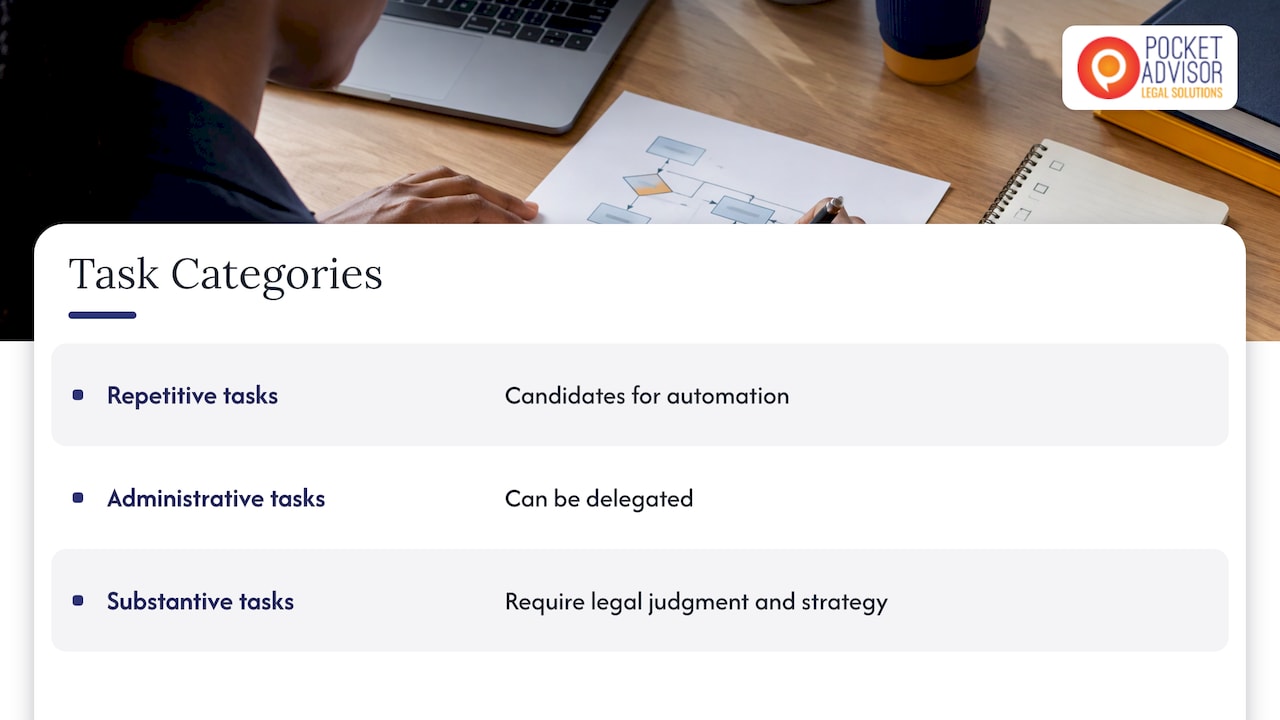
Opportunity. Attorney at Work advises reviewing the map for bottlenecks and opportunities to automate, and identifying steps that can be eliminated, automated or delegated. It also offers a useful sorting rule: repetitive tasks are automation candidates, administrative tasks can be delegated, and substantive tasks require legal interpretation and strategic judgment. Apply that rule to every step and annotate the map accordingly.
Where technology adds genuine value
Automation is only as good as the process it is applied to. Automating a poorly understood workflow simply produces errors faster. The map is therefore the correct precondition for any technology decision: it shows which steps are repetitive, which data moves between systems, and where a tool would remove effort rather than relocate it.
South African evidence of the potential payoff exists. A case study published by a consultancy on a South African legal-process automation project reports that its assessment identified automation targets and a phased roadmap, with projected reductions of at least 30% in administrative hours on core workflows within six months. These are the case study’s projected outcomes for one firm, not a benchmark for the profession, but they illustrate why a prioritised roadmap grounded in operational reality is worth the preparation.
Implementing, measuring and updating improvements
A map that is drawn and filed achieves nothing. Treat it as the first deliverable in a short improvement cycle.
- Draft the future-state map. Remove the waste, reassign steps according to the judgment-versus-administration rule, and add the controls the risk review identified. Seyfarth’s legal-operations approach frames this as a facilitated collaboration between project managers, lawyers and other stakeholders moving from the current state to a desired future state, and that collaborative principle holds for a small firm as much as a large one.
- Embed the knowledge. The same firm notes that maps can embed best-practice documents, checklists, quality-assurance controls, budgets, project plans, task lists and time estimates. Attach the engagement-letter template, the intake checklist and the conflict-check form to the step where they are used.
- Pilot on live matters. Run the new process on a limited set of matters for a defined period, with one named process owner.
- Measure. Choose a few indicators that match the problems found: time from enquiry to signed engagement, number of rework loops, fee-earner hours spent on administrative steps, and client feedback on communication.
- Review and revise. Schedule a periodic review, and update the map whenever the law, the court procedure or the technology changes. A map that no longer matches the work is worse than none, because the team trusts it.
Common mistakes to avoid
- Mapping the ideal rather than the actual process.
- Excluding the support staff who perform the steps.
- Attempting to map every process at once.
- Treating the map as a one-off project with no owner.
- Automating before simplifying.
Our guides on legal process improvement and on legal matter management extend these steps into the wider operating model of a practice.
Building the capability in your firm or legal department
Process mapping is a skill that improves with structure and practice. LPM is a specialised professional capability, not administration or generic project management: it combines structured planning with commercial awareness and a continuous-improvement mindset, and it is applied to the realities of legal work, including scope, budgets, risk, resourcing and client expectations. Done well, it also helps firms and legal departments decide where technology and automation add genuine value rather than cost.
PocketAdvisor holds exclusive rights in South Africa to provide the internationally accredited IILPM Legal Project Management programme. Students who successfully complete the Applied Legal Project Management Course receive international accreditation through the International Institute of Legal Project Management (IILPM), subject to the programme’s completion requirements. For lawyers, the credential is a recognised professional development achievement that can strengthen expertise and help distinguish a practitioner in a competitive profession. The course fee is R9 500, as published on our course page.

Explore PocketAdvisor’s internationally accredited Legal Project Management Course
FAQ
What is legal process mapping?
It is the visual documentation and analysis of the steps, activities and workflows in a legal process. KorumLegal says mapping brings transparency, identifies strengths and weaknesses, and points to potential improvements. In practice, it is a diagram of who does what, in what order, and with what result.
Which legal process should a firm map first?
Choose a frequent, repeatable process shared by several people. Client intake and file opening is the usual starting point, followed by matter milestone tracking and client communication. Complex, one-off matters are better left until the method is familiar.
What symbols should I use on a legal process map?
A flowchart with rectangles for steps and diamonds for decisions is sufficient for most legal workflows. Add swim lanes if the main concern is handoffs between roles. Keep the notation consistent so that everyone can read every map.
How does process mapping save time for lawyers?
It reveals steps that can be removed, delegated or automated, so that fee-earner time is concentrated on work requiring legal judgment. It also reduces rework and status-chasing by making ownership and completion signals explicit.
Sources
- How to Streamline Your Legal Workflow with Process Mapping, Attorney at Work
- Transforming Your Legal Ops Approach, ACC and Seyfarth
- Legal Project Management: A Complete Guide for Law Firms, The Digital Project Manager
- How to Systemise a Law Firm, David Jenyns
- Legal Workflows: Mapping Out Your Corporate Legal Processes, Morae
- Document Approval Workflow: A Law Firm’s Practical Guide, CasePulse
- Building Lean Law Firm Operations, Promise Legal
- Court Online, Office of the Chief Justice
- RL Daly sets the standard for legal process automation, Keyrus
- Lean Solutions, Seyfarth Shaw LLP
- What is Legal Process Mapping, KorumLegal
Recommended
- Law Firm Workflows: How to Map, Improve and Automate Them
- Law Firm Project Management: A 2026 Guide for SA Practices
- Legal Project Charter: A Practical Guide for SA Lawyers
This article is for educational and informational purposes only. It is not a substitute for professional advice.